
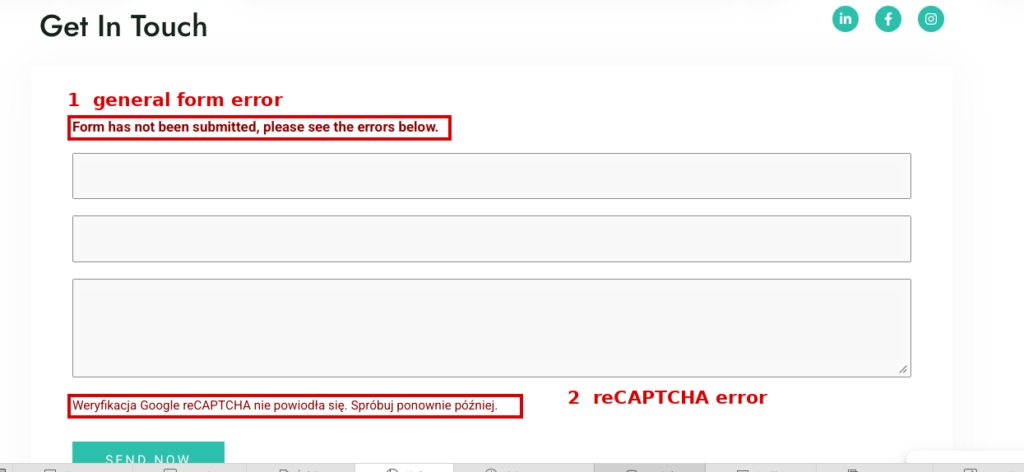
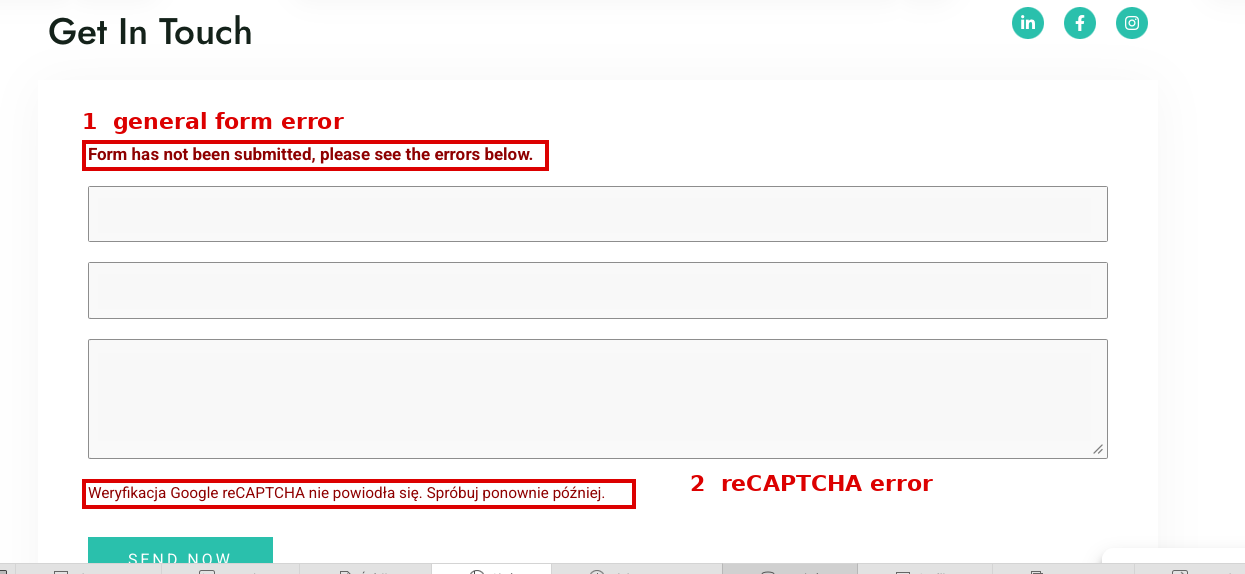
The contact form had been working normally, but after JavaScript optimization changes it started failing with a Google reCAPTCHA error. The visible message did not tell me whether the problem was the reCAPTCHA keys, the score threshold, consent handling, or WPForms itself. The useful clue came from DevTools: the request to wp-admin/admin-ajax.php returned HTTP 200, but the JSON payload contained success:false, and the submitted wpforms[recaptcha] field was empty.
The environment
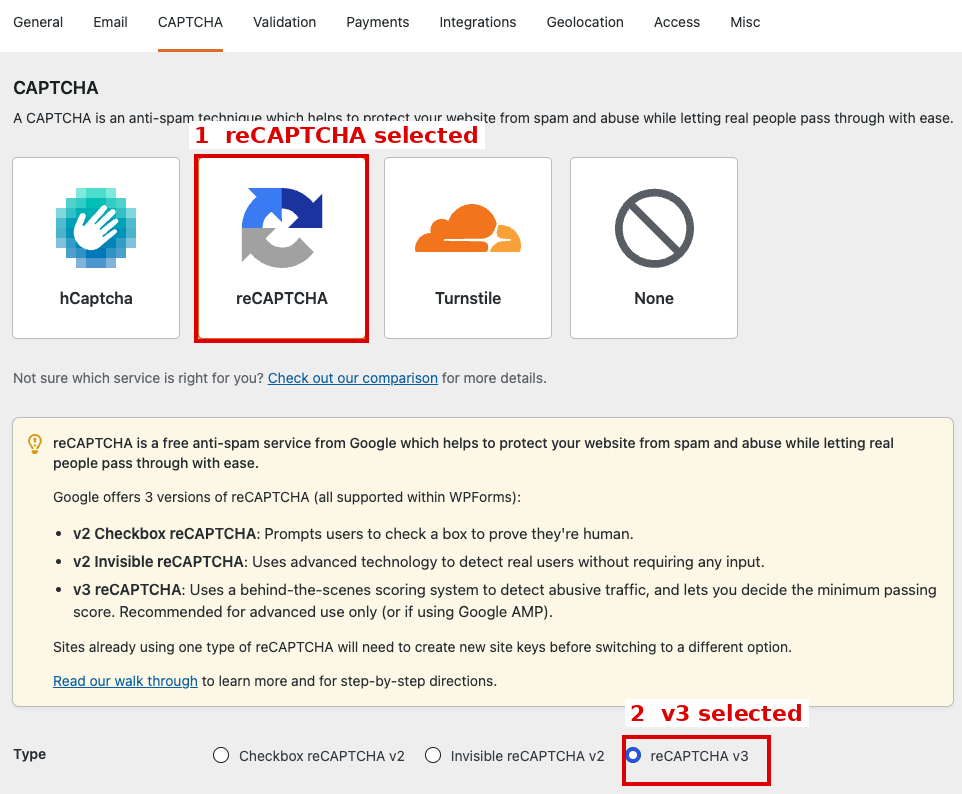
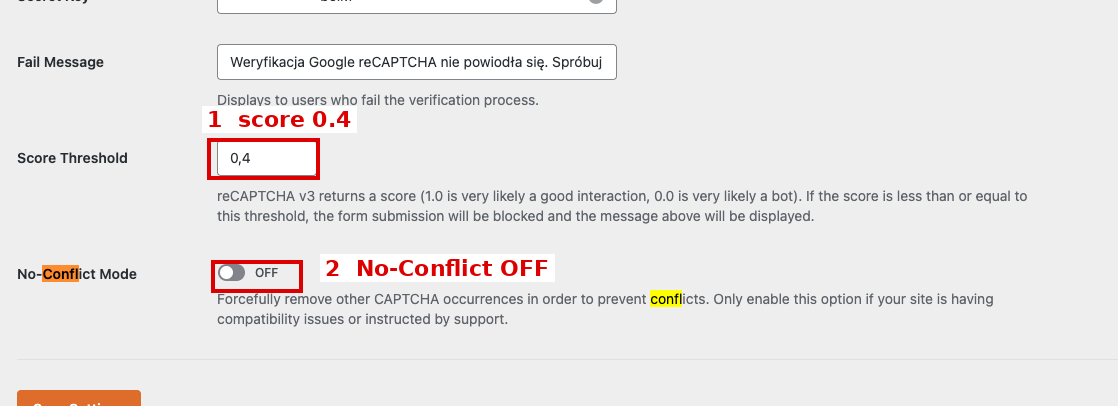
This is a case study from one production installation, not a claim that WP-Optimize always breaks WPForms. At the time of troubleshooting the site was running WordPress 7.1, PHP 8.5.7, WPForms Lite 2.0.1.1, WP-Optimize 4.6.1, Complianz 7.5.4, and Polylang 3.8.7. WPForms used Google reCAPTCHA v3 with a 0.4 score threshold and No-Conflict Mode disabled.
HTTP 200 does not mean the form succeeded
The most important diagnostic step was to look past the HTTP status. In DevTools I opened the admin-ajax.php request and inspected the response body. The server returned HTTP 200, but WPForms returned success:false together with a reCAPTCHA error. The HTTP transport succeeded; the form operation did not.
I then inspected the multipart form data. The wpforms[recaptcha] field was present, but its value was empty during the failure. That was much more useful than the generic error message. With reCAPTCHA v3, JavaScript generates a token for the protected action and that token must be sent to the backend. If the field that should carry it is empty, the backend has no usable token to verify.
Content-Disposition: form-data; name="wpforms[recaptcha]"

# during FAIL:
# empty value
Why I did not blame Complianz first
reCAPTCHA on this site is consent-controlled. After consent, the Google scripts and reCAPTCHA iframe were visible in Network. I also tested Accept → reload → submit, and the form still failed. That does not rule out every consent-related issue on every site, but it meant consent alone did not explain this empty-token failure.
The A/B test: disable Minify and Merge together
For the next controlled test I disabled both of these WP-Optimize JavaScript options:
Enable minification of JavaScript files,Enable merging of JavaScript files.
After saving, I purged Minify and Page Cache and tested again. The form submitted successfully twice in a row. That was enough to identify the JavaScript-processing layer as the conflict area on this installation.
There is an important claim boundary: I did not run separate “Minify only” and “Merge only” isolation tests at that stage. I therefore do not claim that minification alone or merging alone was the single root cause.
The final fix: keep optimization, exclude only the WPForms asset
I did not want to leave JavaScript optimization disabled site-wide. The final configuration turned Minify and Merge back on and excluded the actual WPForms Lite frontend script under:
WP-Optimize → Minify → JavaScript → Exclude JavaScript from processing
/wp-content/plugins/wpforms-lite/assets/js/frontend/wpforms.min.jsThe site already had a separate Post Views Counter exclusion, so the final list was:
/wp-content/plugins/post-views-counter/js/frontend.js
/wp-content/plugins/wpforms-lite/assets/js/frontend/wpforms.min.js
WP-Optimize officially supports excluding individual JavaScript files from minification and merging. That makes this a narrow fix: optimization remains enabled for the rest of the site, while the affected WPForms asset loads normally.
False lead: /wpforms/ was the wrong path here
During troubleshooting I initially used:
/wp-content/plugins/wpforms/assets/js/frontend/wpforms.min.jsIt looks plausible, and similar paths appear in documentation for other WPForms variants, but it was wrong for this WPForms Lite installation. The script actually loaded from the wpforms-lite directory.
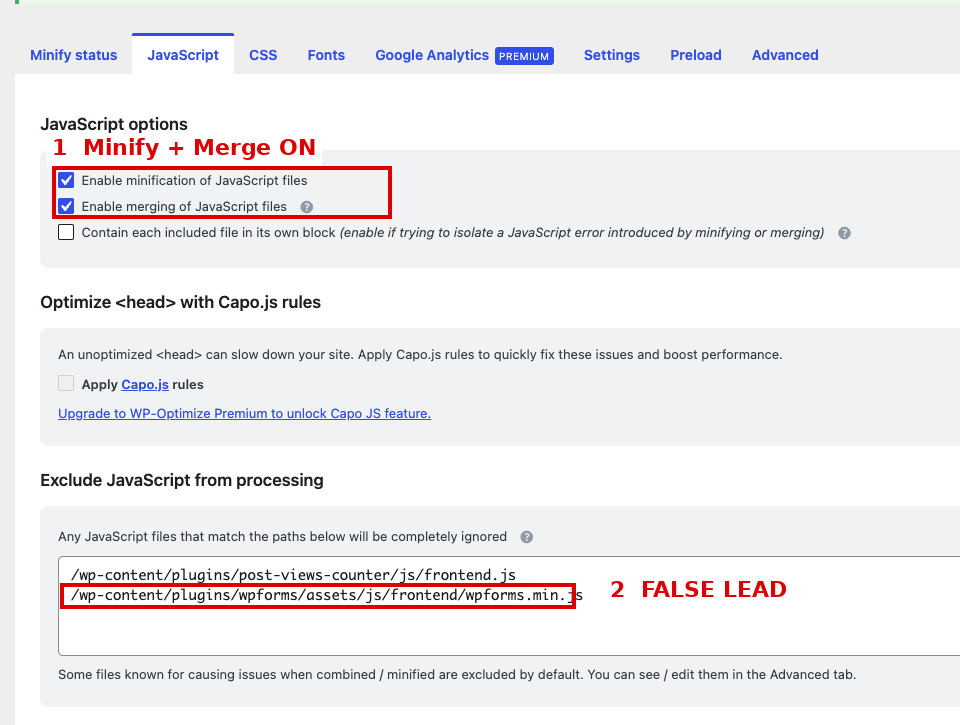
/wpforms/... exclusion did not match the real WPForms Lite asset.Do not copy an exclusion path blindly. Check the actual script URL in Network or the page source, especially after plugin updates.
Purge and a fresh browser session are part of the fix
After changing the exclusion I purged Minify and Page Cache and repeated the test in a fresh private window. During the transition there was still one intermittent EN empty-token failure before the final EN test passed. That is why I do not treat “the line is saved” as proof that the problem is solved.
Normal submissions were ultimately confirmed in Polish, English, and German.
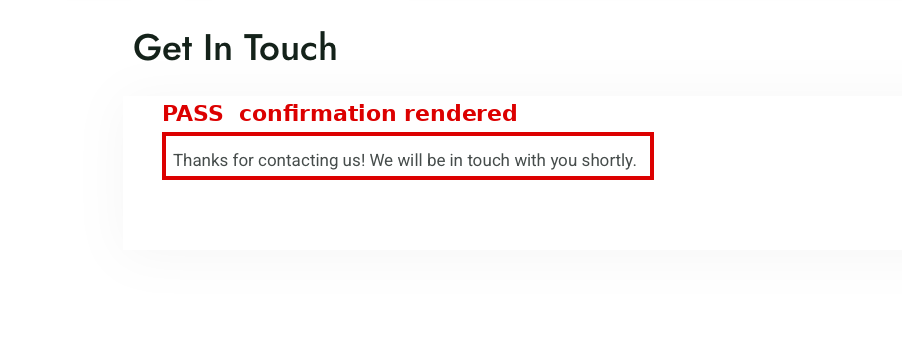
How I verify the fix
- Purge both Minify cache and Page Cache.
- Open a brand-new private browser window.
- Set consent according to the CMP used on the site.
- Perform a real form submission.
- Open the
admin-ajax.phprequest in Network. - Read the JSON response, not just the HTTP status.
- If it still fails, inspect the multipart payload and verify that
wpforms[recaptcha]is present and non-empty. - Verify the confirmation and actual email delivery.
What was not confirmed as the cause
- the 0.4 score threshold;
- No-Conflict Mode;
- Complianz consent alone, because
Accept → reload → submitstill failed at that stage; - the global WPForms error-message text;
- the incorrect
/wpforms/...path, which simply did not target the real Lite asset.
A localization trap in the reCAPTCHA Fail Message
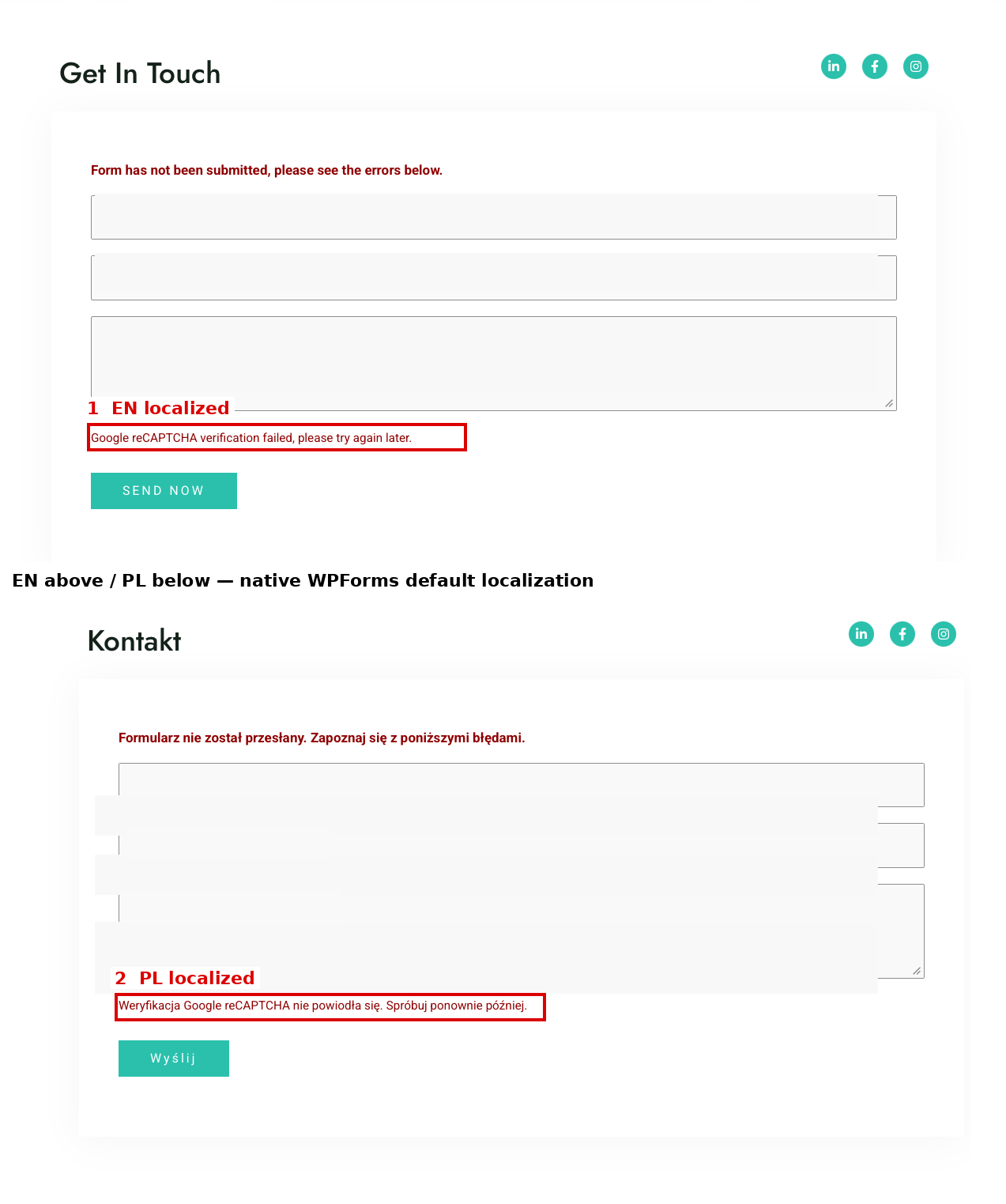
I initially entered a custom Polish message in the global WPForms Fail Message field. The result was that the Polish text also appeared on the English form. After restoring the WPForms default, localization worked natively again: English in EN, Polish in PL, and a German reCAPTCHA message in the DE backend response.

A separate German frontend rendering bug
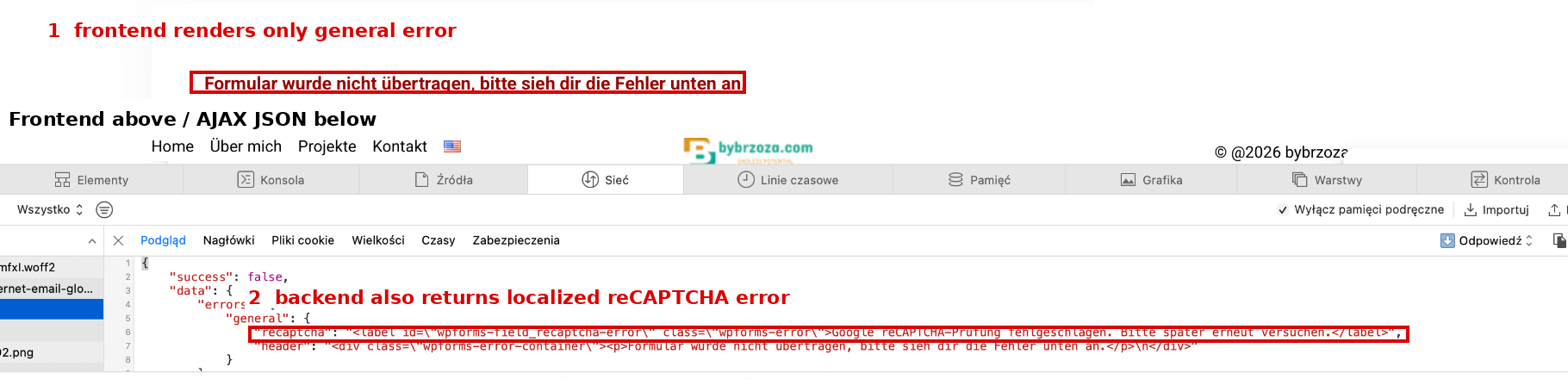
While intentionally forcing reCAPTCHA verification to fail, I found a separate issue on the German form. The backend JSON contained both the localized general error and the detailed German reCAPTCHA error, but the frontend rendered only the general header. I reproduced this in a brand-new private window. Normal German submissions after consent worked, so this is not the root cause of the empty token. I reported it separately on WordPress.org.
Rollback
If the exclusion causes an unexpected side effect, the rollback is small: remove the WPForms line from the exclusion list, save, and purge cache. For diagnosis you can also temporarily disable Minify and Merge. There is no reason to disable all of WP-Optimize or permanently turn off page caching when the issue is isolated to one JavaScript asset.
Takeaway
The useful lesson from this incident is not “disable optimization.” It is to inspect what the browser is actually sending. HTTP 200 hid an application-level failure, while the empty wpforms[recaptcha] field pointed to the right layer much faster than changing thresholds, translations, or CAPTCHA options. The A/B test then confirmed the JavaScript-processing conflict, and a narrow asset exclusion kept Minify and Merge enabled for the rest of the site.
Did this guide help?
If it saved you some time or frustration, you can buy me a coffee.